An accessibility report is a dated record of how a website was tested against an accessibility standard and what was found. At minimum it names the scope, the standard and level, the test date and method, and every issue mapped to a WCAG criterion with its location, severity and fix, plus what wasn't tested.
That last part is the one most reports leave out. If you've been asked to "send an accessibility report" by a client, a procurement team or a lawyer, you need to know which kind of report they mean before you open any accessibility report generator, because the word covers three very different documents. This page separates them, lists what each one must contain, and shows how to produce one quickly without claiming more than your testing supports.
The three kinds of accessibility report
People use "accessibility report" for three things: the output of an automated scan, a write-up of a manual audit by a tester, and a formal Accessibility Conformance Report (ACR), which is a completed VPAT. They answer different questions. A scan report tells you what a machine found on the pages it checked. An audit report tells you what a person found by actually using the site. An ACR tells a buyer how a product conforms to a named standard, criterion by criterion.
The mistake we see most is sending the first when someone asked for the third.
| Report type | Who produces it | What it covers | When you need it | Typical time and cost |
|---|---|---|---|---|
| Automated scan report | A scanning tool, run by anyone | Machine-detectable issues on the pages scanned | A first look, regular monitoring, prioritizing fixes | Minutes; free to low monthly cost |
| Manual audit report | An accessibility tester or specialist firm | Keyboard, screen reader and judgment-based checks on a defined set of pages, usually plus automated results | Before a redesign launch, after a demand letter, when you need evidence of real testing | Days to weeks; varies widely with scope |
| Accessibility Conformance Report (ACR / VPAT) | The vendor, usually based on an audit | Conformance with each criterion of a named standard, using fixed terms | Federal procurement, enterprise and education sales, vendor reviews | Varies; depends on the testing behind it |
What every accessibility report must include
Whatever kind you produce, these 10 items separate a report someone can rely on from a page of scores.
1. Scope. List exactly which URLs, templates or screens were tested. "The website" isn't a scope; "home, /pricing, /contact form and the signup flow" is.
2. Standard and level. Name the standard and the conformance level, for example WCAG 2.1 Level AA. A report that just says "accessible" has no yardstick.
3. Test date(s). Websites change every week, so a finding without a date can't be checked. Give the date each part was tested.
4. Method. Say whether testing was automated, manual or both, and name the tools, browsers and screen readers used. A named browser and screen reader with version numbers is useful; "various tools" isn't.
5. WCAG criterion for each issue. Map every issue to a success criterion number and name, such as 1.4.3 Contrast (Minimum). That's how a developer finds the rule and how a buyer checks your claim.
6. Severity or impact. Rate how badly each issue blocks people. A missing label on a checkout field matters more than a skipped heading level in the footer.
7. Exact location. Give the URL plus the element or CSS selector. "Some images lack alt text" sends a developer hunting; "/team, img.portrait-3" doesn't.
8. How to fix it. Describe the fix, ideally at the code level. An issue nobody knows how to fix tends to stay in the next report too.
9. What was not tested. List the pages, components, criteria and assistive technologies outside the scope. This is where honesty lives.
10. Next test date. Say when the site will be retested. A report is a snapshot, and the date tells readers how long to trust it.
A report that doesn't list what wasn't tested is overselling itself. The reader assumes full coverage, and when someone finds a barrier on a page you never opened, the report looks like it hid it.
What an automated scan can and cannot prove
We run an accessibility scanner, so we see a lot of scan output. When we scanned 304 web agency front pages for our benchmark between September and October 2026, at most one came back with no accessibility finding at all. That tells you how much a scan finds. It says nothing about how much it misses, and that second number is the one a report has to be honest about.
The best public data on the gap comes from Deque. In its Automated Accessibility Coverage Report, based on audits of more than 13,000 pages and page states, automated testing identified 57.38% of total issues by volume. Measured another way, Deque found automated issues for only 16 of the 50 WCAG 2.1 Level AA success criteria. Both figures are true at once: automation catches the common failures well, and it can't judge whether something makes sense to a person.
A scan won't tell you whether your alt text makes sense. It will tell you that the alt text is missing. The table below shows where that line falls on criteria that come up in almost every report.
| WCAG criterion | Can a scan check it? | What else you need |
|---|---|---|
| 1.1.1 Non-text Content | Partly: it can find missing alt text, not judge whether the alt text is meaningful | Human review of each image's purpose |
| 1.3.1 Info and Relationships | Partly | Manual check of headings, lists, tables and form labels |
| 1.4.3 Contrast (Minimum) | Yes, for most text | Check text over images and gradients by hand |
| 2.1.1 Keyboard | No | Tab through every interactive element |
| 2.4.3 Focus Order | No | Keyboard walkthrough |
| 2.4.7 Focus Visible | Partly | Keyboard walkthrough |
| 3.3.1 Error Identification | Partly | Submit forms with errors and listen with a screen reader |
| 4.1.2 Name, Role, Value | Partly | Screen reader test of custom components |
So a scan report is real evidence of real problems. It isn't evidence that the problems it didn't find don't exist. It's the same reason we wrote up why a Lighthouse score of 100 is not compliance as a full article rather than a footnote.
One more thing needs saying plainly: there's no official ADA certification. No report, scan or tool makes a site "ADA compliant", "certified" or "lawsuit-proof". The Department of Justice's guidance on web accessibility gives businesses flexibility in how they comply, points to WCAG as helpful guidance, and states that guidance documents have no legally binding effect. It sets up no certification program.
VPAT and ACR, explained in plain English
A VPAT, short for Voluntary Product Accessibility Template, is a document template published by the Information Technology Industry Council (ITI). You fill it in criterion by criterion. Once it's completed with testing results, it's called an Accessibility Conformance Report, or ACR. The template is the blank form; the ACR is your answers.
The current template on ITI's VPAT page is VPAT 2.5Rev, released in April 2025. It comes in 4 editions: 508 for the revised US Section 508 standards, EU for EN 301 549, WCAG for the W3C guidelines, and INT, which combines all three. For each criterion you pick one of 4 conformance terms: Supports, Partially Supports, Does Not Support or Not Applicable, and you add remarks explaining the choice.
Who asks for one? US federal buyers, first of all. Section508.gov explains that solicitations that include technology specify accessibility requirements, that an ACR is a good way to address them, and recommends vendors create one for any product marketed to the federal government. Many enterprise and education buyers ask for an ACR in procurement too, and it often shows up in B2B security and vendor reviews next to the security questionnaire.
Here's the part buyers know and sellers forget: anyone can fill in a VPAT. The template doesn't check your answers. An ACR that says "Supports" on every row, with no named method and no test dates, is worth very little, and experienced buyers read it that way. The value of an ACR is the testing behind it.
How to generate an accessibility report, step by step
You can produce a credible first report in a day or two. Here's the order we'd follow.
Step 1: Decide the scope. Pick the templates that make up most of the site rather than trying to test every URL: the home page, a typical content page, a page with a form, and the checkout or signup flow. Write the list down, because it becomes item 1 of your report.
Step 2: Run an automated WCAG 2.1 AA scan. Start with a free WCAG 2.1 AA scan or any comparable tool, so the high-volume, machine-detectable issues are on the table first. Save the results with the date. Treat every finding as a lead, and note its confidence: some are certain, some need a person to look.
Step 3: Do a keyboard-only pass. Put the mouse away and use Tab, Shift+Tab, Enter, Space and the arrow keys through each page in scope. Open every menu and dialog and complete every form. Note anywhere focus disappears, jumps somewhere illogical or gets stuck.
Step 4: Do a screen reader pass. Use NVDA on Windows or VoiceOver on Mac, both free. Listen to the page title, the headings list, each form field and each custom control. You're checking that what's announced matches what a sighted user sees.
Step 5: Write it up using the 10 items above. Group issues by template where you can, because a fix in a shared component clears it everywhere. If the work started from a legal question, our ADA website compliance checklist maps each plain-English check to its WCAG criterion.
Step 6: Set a retest date and keep old versions. Put the next test in the calendar and save every report with its date. A run of dated reports showing issues going down is far more convincing than one clean-looking snapshot.
Scope by template, not by page count. In our benchmark, low text contrast showed up on 82% of the agency front pages we scanned, and text colors are usually set once in a shared stylesheet or design token. One template finding often stands for every page that uses the template.
Here's what a single finding should look like when you write it up:
Issue: Search button has no accessible name. WCAG 4.1.2 Name, Role, Value. Location: /pricing, header form, button.search-submit. Impact: screen reader users hear "button" with no purpose. Fix: add aria-label="Search" or visible text.
Every field a reader needs is there: what, which rule, where, who it hurts and how to fix it.
Want a starting point? Run a free WCAG 2.1 AA scan of your homepage and get a report with code fixes in about 2 minutes, or see a sample accessibility report first.
Free tools that produce an accessibility report
Each of these free tools works as an accessibility report generator for one part of the job, and none of them does all of it.
| Tool | Free? | What you get | Pages per run | Main limitation |
|---|---|---|---|---|
| Sitejar | Yes, a guest scan with no signup | WCAG 2.1 AA findings with severity, a confidence label and a proposed source-level fix, plus security, privacy and other checks | Up to 5 | Public pages only, nothing behind a login; exports are on paid plans |
| W3C WCAG-EM Report Tool | Yes | A structured report following the W3C evaluation methodology | Whatever you evaluate by hand | It doesn't test anything; you enter your own manual results |
| WAVE | Yes, browser extension | Errors and alerts shown as icons on the page itself, run inside your browser | 1 | Built for checking a page visually, not for producing a document to hand over |
| axe DevTools (free browser extension) | Yes, with a paid Pro version | Automated issues for the page you're on, with the rule each one fails | 1 | Guided manual tests and full user flows are in the paid version |
| Lighthouse | Yes, open source and built into Chrome | An accessibility score and failed audits, savable as JSON | 1 | Accessibility is one category of several, and the score covers only automated checks |
The odd one out is the WCAG-EM Report Tool from the W3C. It isn't a scanner. It walks you through the WCAG-EM methodology, W3C's method for evaluating a whole website's conformance, and turns your manual findings into a structured report. Pair it with any scanner and a keyboard and screen reader pass and you have a solid manual audit report at no cost.
On our side, we'd rather be precise than impressive. The free scan covers up to 5 pages, about 2 minutes, with no account. Larger scans and branded PDF exports come with multi-page reports on paid plans. Nothing we produce certifies a site, and our own pages say so.
See a sample report
Before you send anything to a client, it helps to see what a scan report looks like when someone else reads it. The sample is a real scanner output for a fictional dental practice: 4 pages, a dated scan, a total score, the top 5 priority fixes, and findings grouped by dimension, each with a severity label, an effort tag and a confidence status. It ends with a plain note that an automated scan doesn't catch every problem and isn't a legal opinion.
Accessibility report or accessibility statement?
A report is evidence of testing. You keep it internally, or you hand it to a buyer, a client or your lawyer. It's detailed, technical and dated.
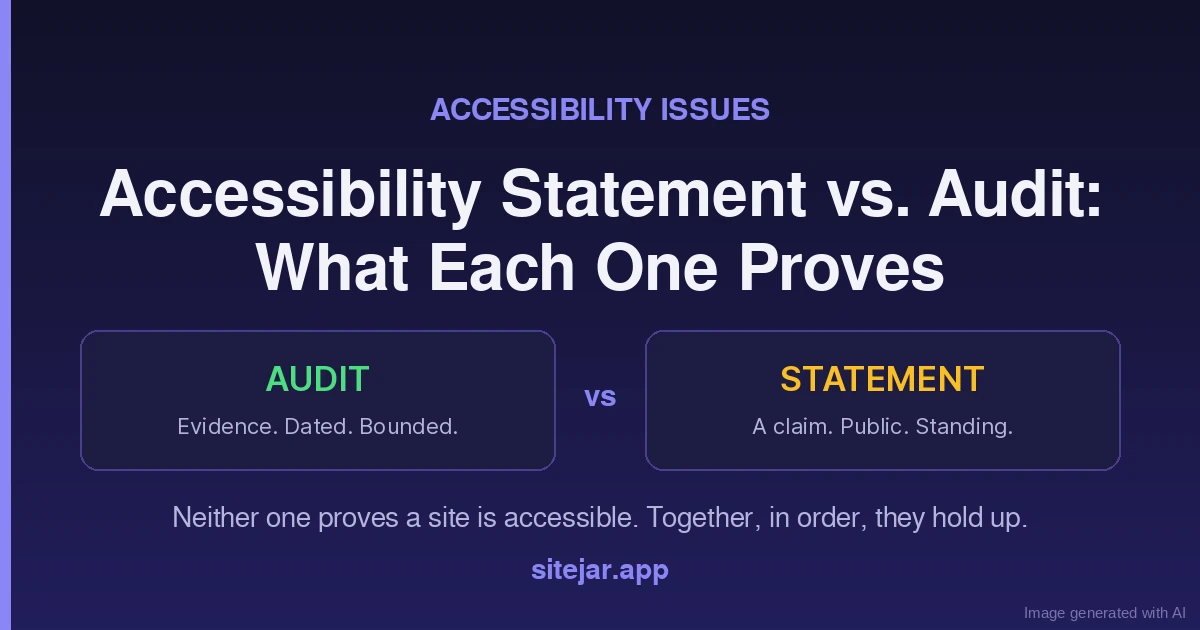
A statement is a public page on your site. It says which standard you aim for, what you know doesn't work yet and how people can contact you about a barrier. The two work together: the report tells you what to put in the statement. Our article on accessibility statement vs audit covers what each one proves, and our free accessibility statement generator gives you a draft to edit.
Common questions
This article is general information, not legal advice.
Is an accessibility report legally required?
Not as a general rule. Neither the ADA nor the Department of Justice's web guidance requires a business to produce one. Reports become required by contract instead: federal solicitations specify accessibility requirements and an ACR is the usual way to answer them, and many enterprise and education buyers make one a condition of purchase. State and local governments have a different obligation: the 2024 DOJ Title II rule requires their web content to meet WCAG 2.1 Level AA, and testing records are how they show where they stand. For private businesses under Title III, WCAG 2.1 AA is the benchmark courts and DOJ guidance point to, not a codified requirement.
How often should I update an accessibility report?
Update it whenever the site changes in a way that matters: a redesign, a new template, a new checkout or signup flow. Between those, retest on a schedule, and run automated scans more often than manual audits. A report older than your current design describes a different site.
Can I write my own VPAT?
Yes. The VPAT is a free template from ITI, and nothing stops a vendor from completing it in-house; Section508.gov encourages vendors to create one. What matters is the testing behind it. Name your method and dates, use Partially Supports honestly, and explain each remark, or experienced buyers will discount it.
Does an accessibility report protect me from a lawsuit?
No report can guarantee that. A report records what you tested and found; whether your site actually works for disabled users is what matters. A dated history of testing and fixes shows you take accessibility seriously, but a report full of known, unfixed issues is also a record that you knew about them. If you've received a demand letter, talk to a qualified attorney.
Get your first report today
You don't need to start with a full audit to be honest about where your site stands. Start with a scan, add a keyboard and screen reader pass, and write down what you tested and what you didn't.
Scan your site free, with no signup, and look at the sample report to see what you'll get. Then decide whether you need a manual audit or an ACR on top.
Sources
W3C, Web Content Accessibility Guidelines (WCAG) 2.1
W3C, Website Accessibility Conformance Evaluation Methodology (WCAG-EM)
Information Technology Industry Council, VPAT
Section508.gov, Accessibility Conformance Report
Deque, The Automated Accessibility Coverage Report
ADA.gov, Guidance on Web Accessibility and the ADA
ADA.gov, Fact sheet: the Title II web and mobile app rule
This article is educational and reflects Sitejar's point of view. It is not legal advice. For your specific situation, consult a qualified attorney.